ကုန်ပစ္စည်းလက်ကျန်စာရင်းကိုက်ညှိခြင်း
By Htet Myat Htoo Linn on July 13, 2020
Beginnerလစဉ် ကုန်လက်ကျန်စစ်ဆေးပြီး လိုအပ်သည့် စာရင်းညှိနှိုင်းမှုပြုရန်ရာတွင် MSME Books တွင် Inventory Write-Off ကို အသုံးပြုရပါမည်။
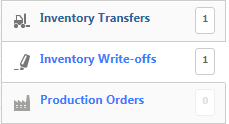
Inventory Write-Off ကို နှိပ်ပါ။

New Inventory Write-Off ကို နှိပ်ပါ။
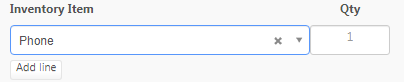
Inventory Item တွင် အသုံးမပြုတော့မည့် Item ကိုထည့်သွင်းပါ။
Qty တွင် အသုံးမပြုတော့မည့် Item အရေတွက်ကိုထည့်သွင်းပါ။
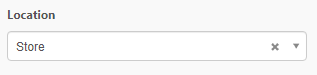
Location တွင် အသုံးမပြုတော့မည့် Item ၏ ဆိုင် Location Name ကိုရွေးချယ်ပါ။

အပြည့်အစုံထည့်သွင်းပြီးပါက Create ကိုနှိပ်ပေးပါ။
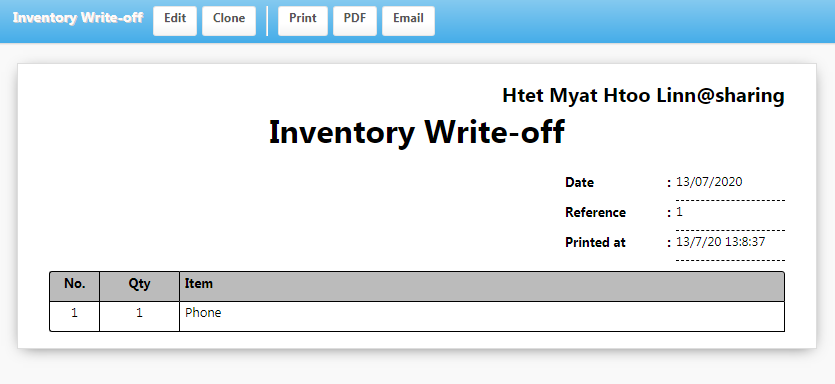
ထည့်သွင်းထားသော Inventory Write-Off ကို တွေ့ရမည် ဖြစ်သည်။
Was this article helpful?
No comments yet. Login to start a new discussion Start a new discussion