Item Price Change
By Thu Thu Mon on January 30, 2021
BeginnerInventory Item များကို စျေးနှုန်းပြောင်းလဲသတ်မှတ်လိုပါက.....
Stock > Item & Pricing မှ Item Price ကိုနှိပ်ပါ။

New ကိုနှိပ်ပါ။
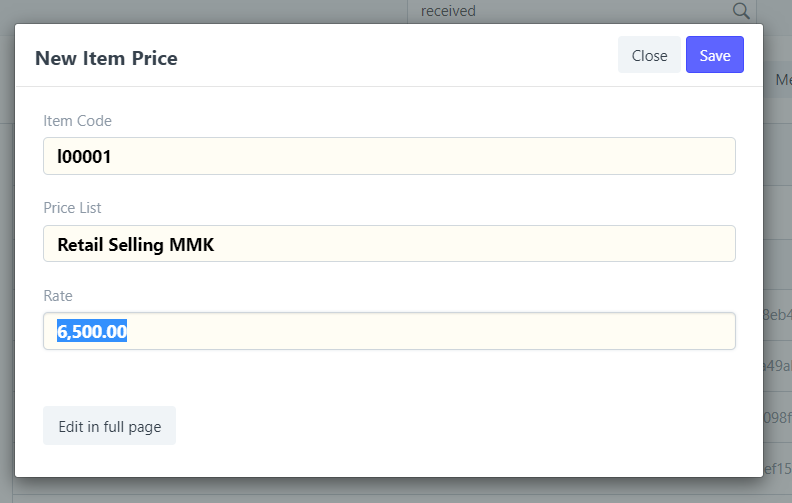
စျေးနှုန်းသတ်မှတ်လိုသော Item Code ကို ရွေးပါ။
Price List ရွေးချယ်ပါ။
Rate တွင် သတ်မှတ်လိုသော စျေးသတ်မှတ်ပါ။
Item ၏ Unit အမျိုးအစားလိုက် စျေးသတ်မှတ်လိုပါက
Edit in full page ကိုနှိပ်ပါ။

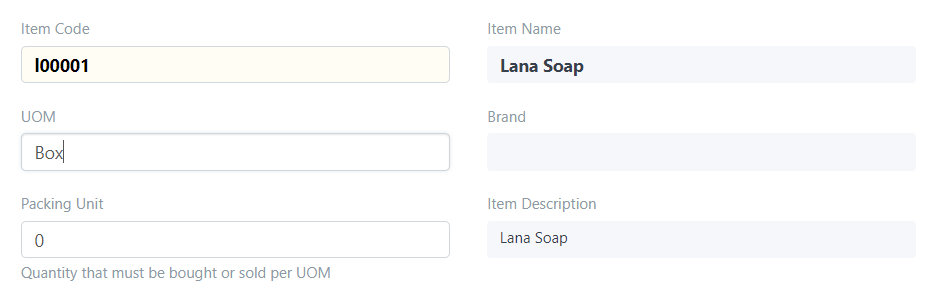
UOM တွင် item unit name ရွေးချယ်၍ သတ်မှတ်နိုင်ပါသည်။
Was this article helpful?
No comments yet. Login to start a new discussion Start a new discussion