Employee Check In/Out (HR)
By Thu Thu Mon on January 29, 2021
BeginnerERP Next တွင် ၀န်ထမ်းများ ၏ Attendance Record စနစ် ကိုအသုံးပြုလိုပါက ..........
ပထမဆုံး ERP အသုံးပြု သော Computer သို့မဟုတ် Phone or Tablet တွင် Location Service ကို ဖွင့်ထားပေးရပါမည်။
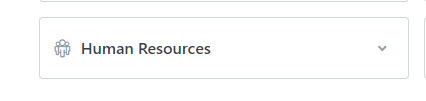
Human Resources ကိုနှိပ်ပါ။
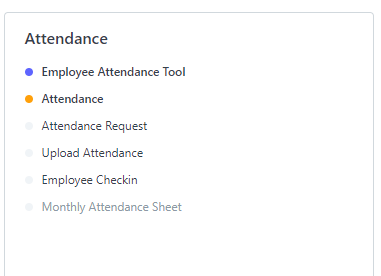
Attendance မှ Employee Check in ကိုနှိပ်ပါ။
Check In /Out လုပ်လိုပါက New ကိုနှိပ်ပါ။
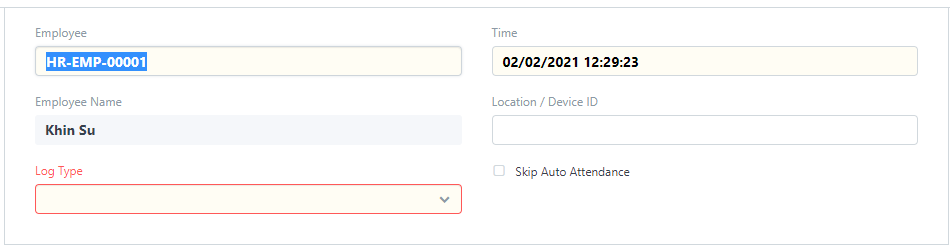
Employee တွင် Login ၀◌င် ထားသော User Name ဖြင့် Employee Name ကို ပြပေးမည် ဖြစ်သည်။
မိမိ Name Auto မပြပေးပါက Employee တွင် ရွေးချယ်ပါ။
Log Type တွင် In/ Out ရွေးချယ် ပါ။
Location တွင် Check in /out လုပ်သော Location ကို ပြပေးမည်ဖြစ်သည်။

Save ကိုနှိပ်ပါ။
Check In / Out တွင် Picture များ Attach လုပ်လိုပါက....
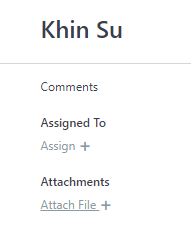
Attachements အောက်မှ Attach File + ကို နှိပ်ပါ။
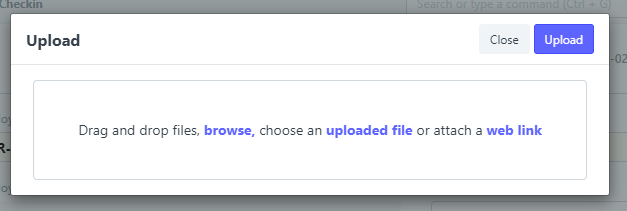
Browse ကို နှိပ်၍ Picture များရွေးချယ်ပါ။

Upload ကိုနှိပ်၍ ပုံများ Attach လုပ်နိုင်ပါသည်။
Was this article helpful?
No comments yet. Login to start a new discussion Start a new discussion