Price List & Item Price သတ်မှတ်ခြင်း
By Thu Thu Mon on January 25, 2021
Beginnerလုပ်ငန်းတွင် ၀ယ်စျေး ရောင်းစျေး တစ်ခုထက်ပို၍ သတ်မှတ်လိုပါက
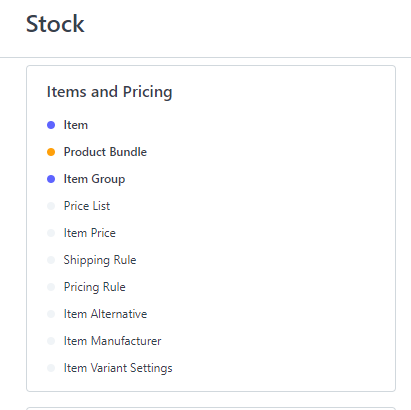
Stock > Item & Pricing မှ Price List ကိုနှိပ်ပါ။
New ကိုနှိပ်ပါ။
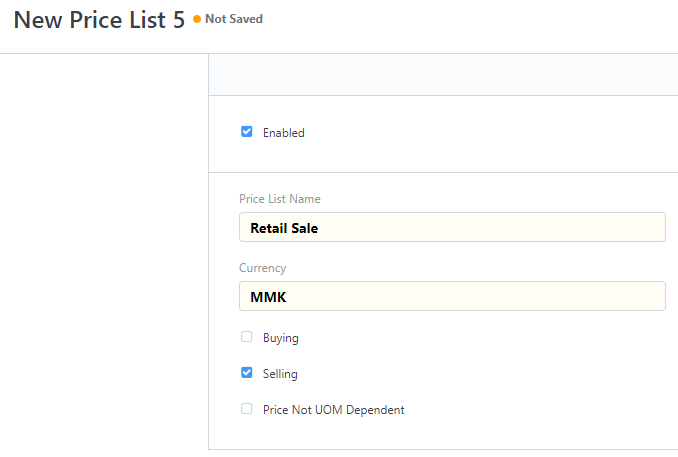
Price List Name တွင် မိမိသတ်မှတ်လိုသော Price List Name ထည့်ပါ။
Currency ရွေးချယ်ပါ။ MMK or Other Currency
သတ်မှတ်လိုသော Price List အမျိုးအစား Eg. Buying or Selling ရွေးချယ်ပါ။
Save ကို နှိပ်ပါ။
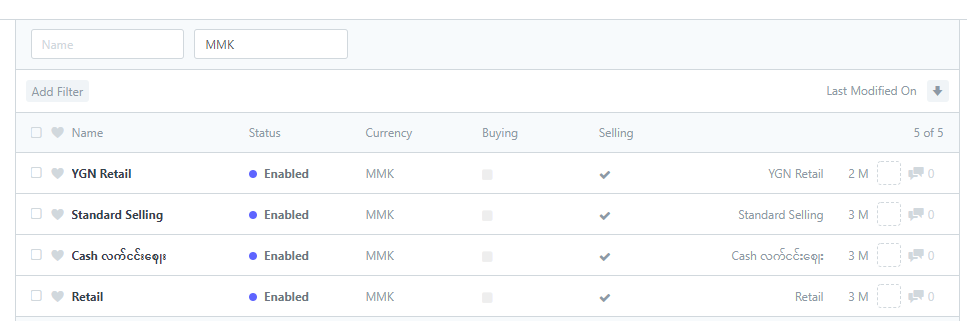
သတ်မှတ်ထားသော Price List များကိုတွေ့ရမည်ဖြစ်သည်။
Inventory Item များကို ၀ယ်စျေး ရောင်းစျေး တစ်ခုထက်ပို၍ သတ်မှတ်လိုပါက.......
Stock > Item & Pricing မှ Item Price ကိုနှိပ်ပါ။

New ကိုနှိပ်ပါ။
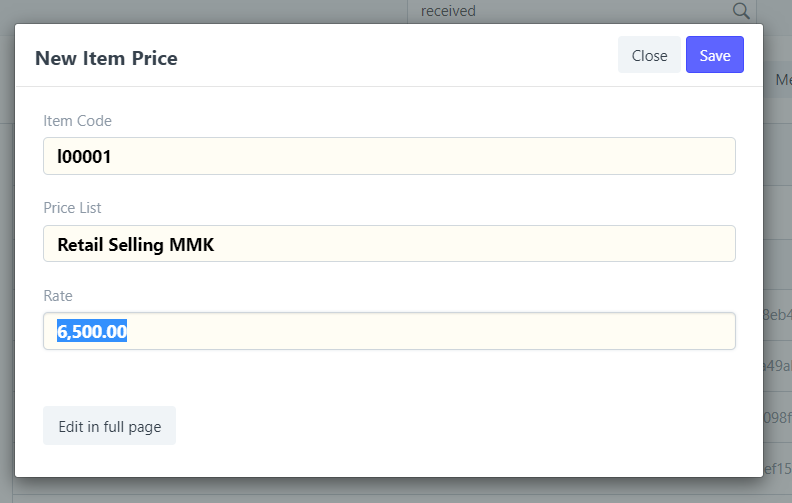
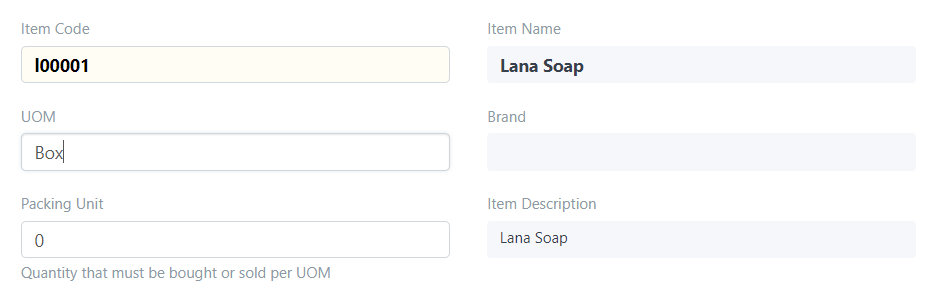
စျေးနှုန်းသတ်မှတ်လိုသော Item Code ကို ရွေးပါ။
Price List ရွေးချယ်ပါ။
Rate တွင် သတ်မှတ်လိုသော စျေးသတ်မှတ်ပါ။
Item ၏ Unit အမျိုးအစားလိုက် စျေးသတ်မှတ်လိုပါက
Edit in full page ကိုနှိပ်ပါ။
UOM တွင် item unit name ရွေးချယ်၍ သတ်မှတ်နိုင်ပါသည်။

Was this article helpful?
အမကို price သတ်မှတ်တာလေး ထက်ထည့်ပေးပါ