Daily Sale Report
By Thu Thu Mon on January 30, 2021
Beginnerလုပ်ငန်းရှိနေ့စဥ်အရောင်းစာရင်းများကို အသေးစိတ်ကြည့်ရှု စစ်ဆေးလိုပါက ...............
Accounting > Sale Invoice ကိုသွားပါ။
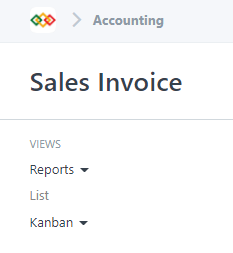
Reports ကိုနှိပ်ပါ။
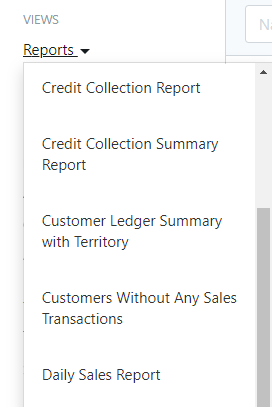
Daily Sales Report ကိုနှိပ်ပါ။

Filter တွင် မိမိကြည့်လိုသော Date ကိုရွေးပါ။
Customer အလိုက် စစ်ဆေး လိုပါက Customer တွင် Customer Name ရွေးပါ။
မြို့နယ်အလိုက် စစ်ဆေးလိုပါက Territory တွင် မြို့နယ် ရွေးချယ်ပါ။
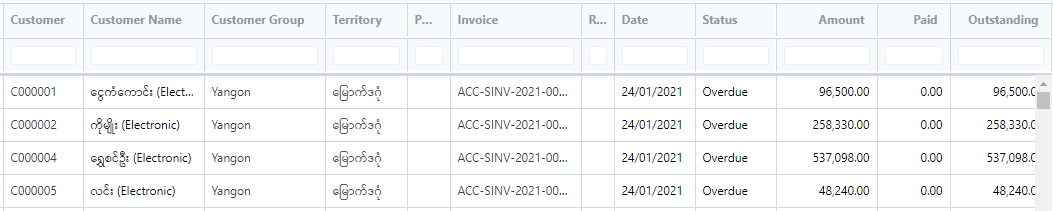
Customer အလိုက်နေ့စဥ◌် အရောင်းစာရင်းများကိုတွေ့ရမည်ဖြစ်သည်။
Was this article helpful?
No comments yet. Login to start a new discussion Start a new discussion