Supplier Ledger စစ်ဆေးခြင်း
By Thu Thu Mon on March 12, 2021
Beginnerလုပ်ငန်းရှိ Supplier အကြွေးစာရင်း စစ်ဆေးလိုပါက ......
Buying > Supplier သို့သွားပါ။
Name တွင် အကြွေးတိုက်ချင်သော Supplier ကို ရှာပါ။

Supplier Name ကိုနှိပ်၍ပါ။
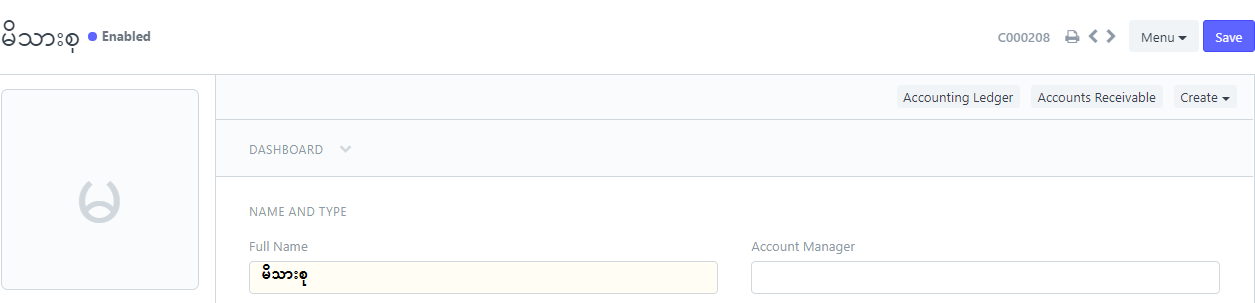
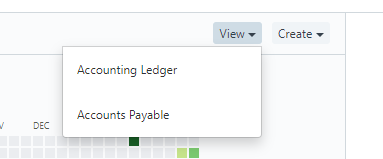
View > Accounting Ledger ကိုနှိပ်ပါ။
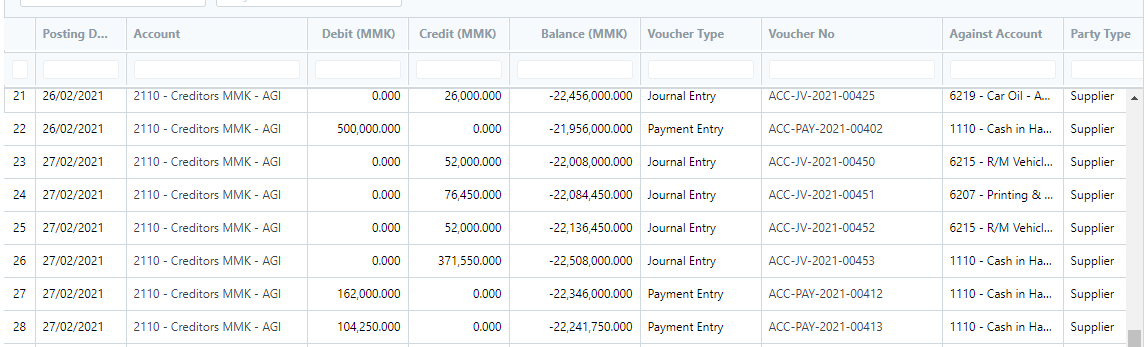
Supplier ၏ Date အလိုက်အကြွေးစာရင်း အသေးစိတ်ကို Voucher Type တွင် အရောင်း ပြေစာ အလိုက်၊ငွေရပြေစာ အလိုက်ပြပေးမည်ဖြစ်သည်။
အ၀◌ယ်ပြေစာ၊ ငွေသွင်း ပြေစာ များကို Detail ၀င်ကြည့်လိုပါက ...
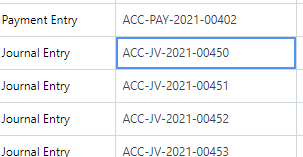
Voucher No ရှိ Invoice Number ကို တစ်ချက်နှိပ်၍ အသေးစိတ် ၀င်စစ်နိုင်ပါသည်။
Was this article helpful?
No comments yet. Login to start a new discussion Start a new discussion