Asset Location သတ်မှတ် ခြင်း
By Thu Thu Mon on March 1, 2021
BeginnerAssets Category ထည့်သွင်းပြီးပါက Location ကို ထည့်သွင်းပေးရမည်။
Location ကို ထည့်သွင်းရန်...
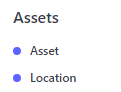
Assets အောက်ရှိ Location ကိုနှိပ်ပါ။

New ကိုနှိပ်ပါ။

Location Name တွင် ထားရှိလိုသော နေရာကို သတ်မှတ်ပါ။

Save ကိုနှိပ်ပါ။

ထည့်သွင်းထားသော Location ကိုတွေ့ရမည်။
ထပ်မံထည့်သွင်းလိုသော Location များ ရှိပါက ထိုနည်းအတိုင်း ထည့်သွင်းပါ။

ထည့်သွင်းထားသော Location များကို တွေ့ရမည်။
Was this article helpful?
No comments yet. Login to start a new discussion Start a new discussion